-Dark.png?width=250&height=127&name=CS-Coaching%20Systems%20Logo-Alt%20Version(1)-Dark.png)
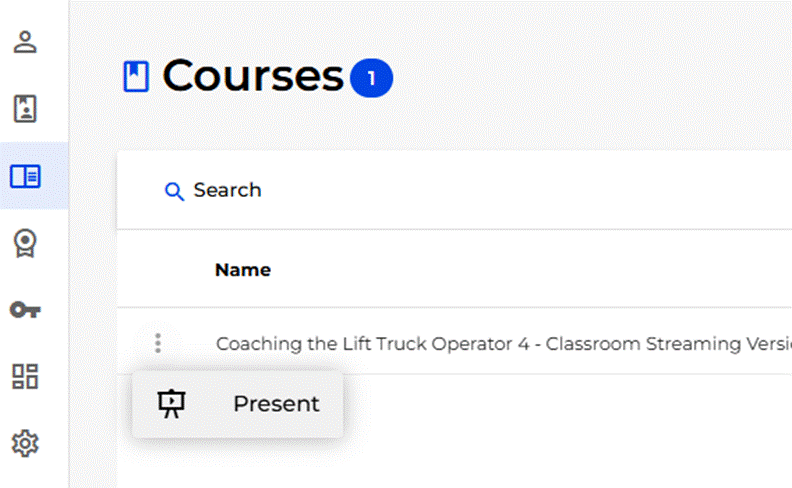
Step 1: Open the Courses grid
From the sidebar, select the Courses icon. This opens a list of the courses you're set up to stream.
Step 2: Open the course menu and select Present
Find your streaming course in the list, select the three-dot menu next to its name, then choose Present.
Step 3: Teach the Course
Walk through the course using the NEXT buttons in the bottom right corner of the screen